Quick facts
| Title | Guitar Practice Mate |
|---|---|
| Developer / Publisher | secret.crunch.pepper |
| Genre | Guitar practice / Education / Music utility |
| Platform | Steam — Windows and Linux |
| Languages | English and Japanese |
| Release date | To be announced |
| Price | To be announced · One-time purchase planned |
| Current demo version | 1.0.3 · Available now on Steam |
| Official trailer | Watch on YouTube ↗ |
Description
Short description
Guitar Practice Mate is an all-in-one guitar practice app combining TAB and standard notation playback, real-time performance evaluation, focused repetition, practice tracking, and a desktop companion.
Full description
Turn every note you play into feedback that helps you improve.
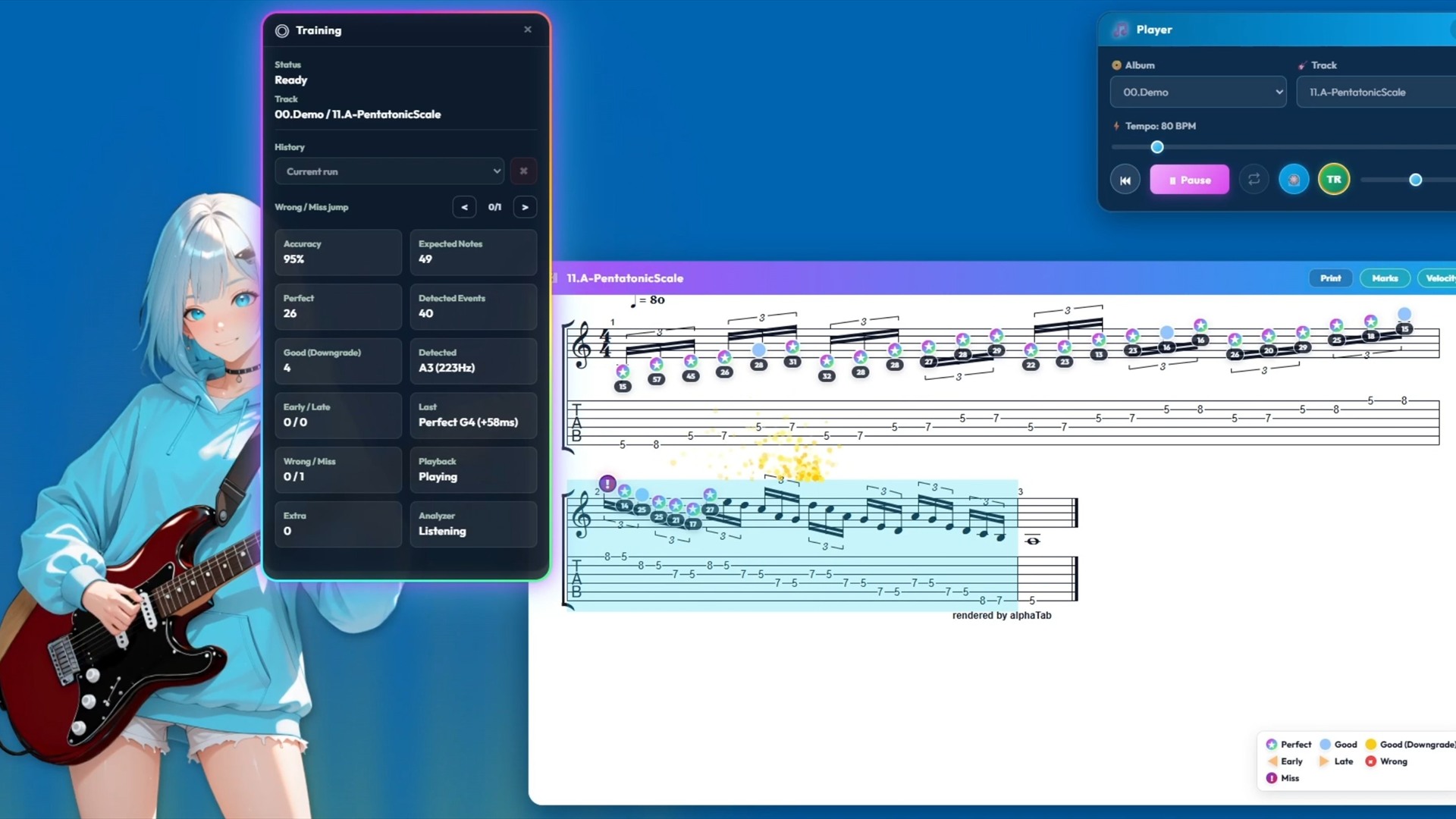
Play along with a track and receive Perfect, Good, Early, Late, Wrong, and Miss judgments directly on TAB and standard notation. Identify where you rushed, fell behind, played the wrong pitch, or missed a note—then slow the tempo or repeat a selected section and practice it again.
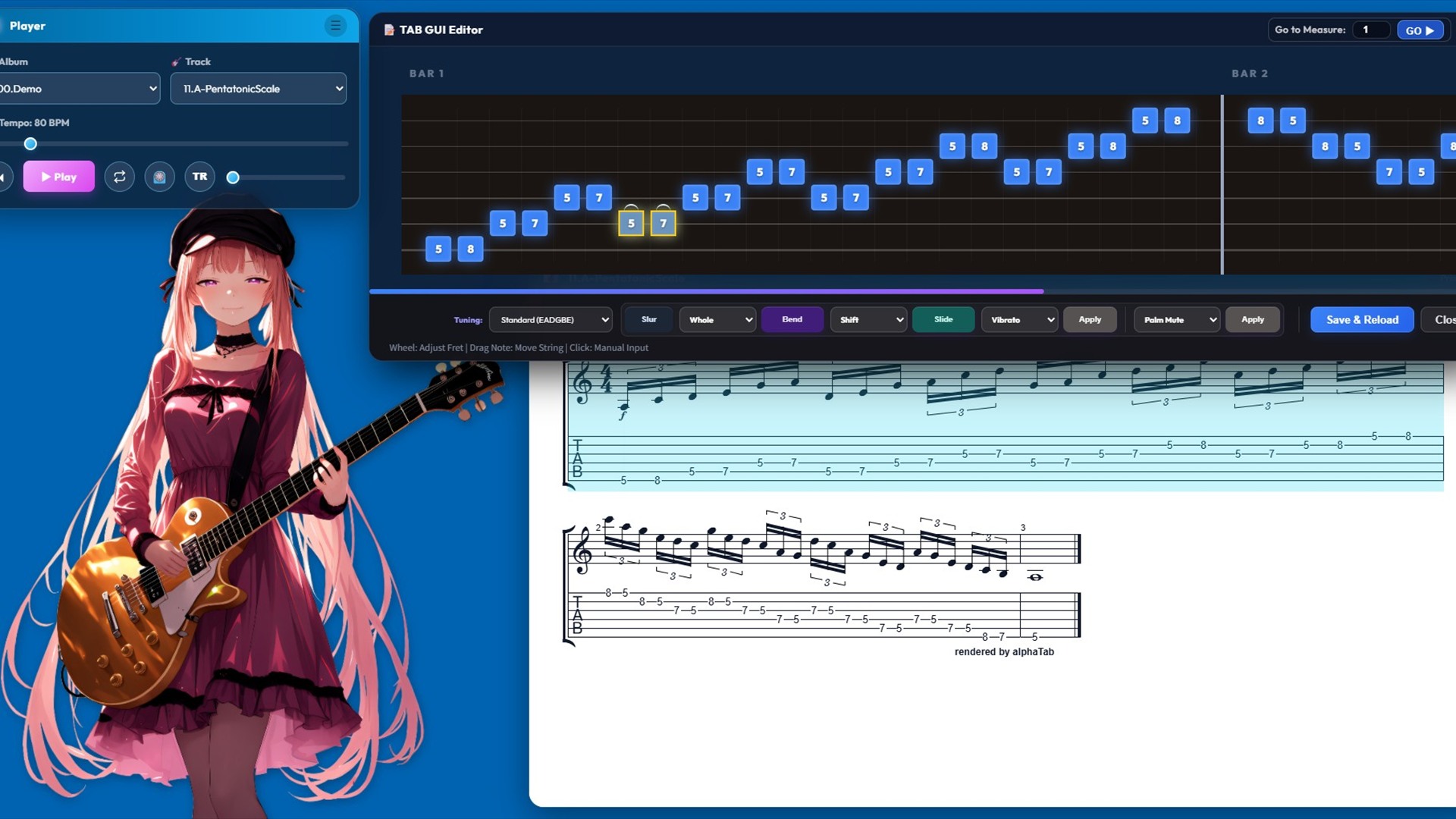
Players can import their own MIDI files, follow embedded tempo changes with MIDI Tempo Map playback, select a MIDI track for score generation, and adjust generated TAB fingering in a visual editor. AI Transcriber (beta) converts recorded guitar performances to MIDI, while Steam Workshop supports content sharing. A Live2D desktop companion reacts to playback and adds warmth to solitary practice sessions.
Key features
- Real-time pitch and timing evaluation for guitar performance
- Perfect, Good, Early, Late, Wrong, and Miss judgments
- Results displayed directly on TAB and standard notation
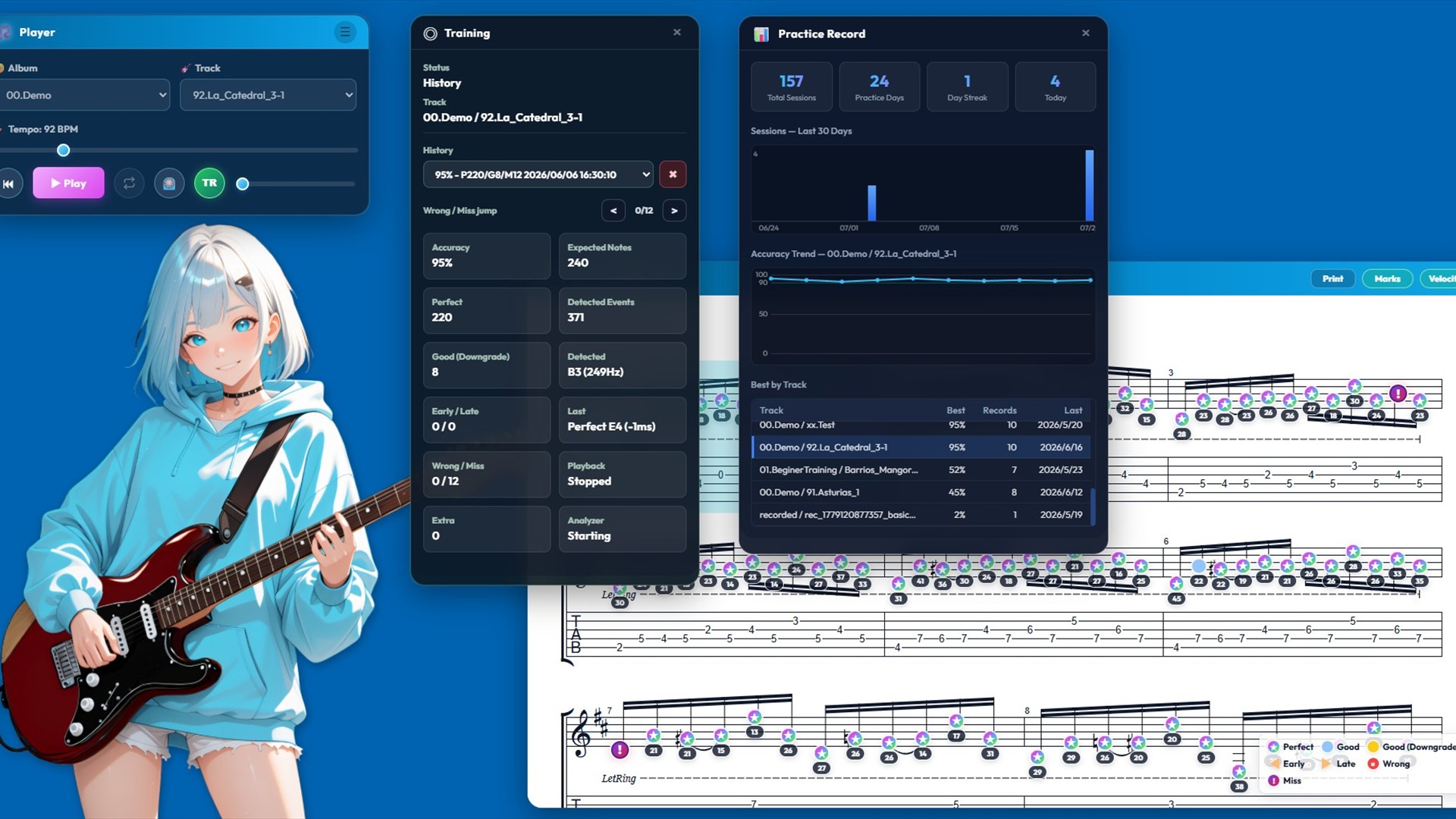
- Session scores, practice history, personal bests, and Steam achievements
- MIDI Tempo Map playback with playback-speed control and score annotations
- Tempo control, metronome, seeking, and A-B section repeat
- Import user-owned MIDI files and select the source track
- Visual TAB fingering editor with protection for user-edited score caches
- AI Transcriber (beta) for guitar-to-MIDI conversion
- Tuner, input-latency calibration, and ASIO®-compatible audio input on Windows
- Live2D desktop companion
- Steam Workshop support for MIDI and scores

ASIO-compatible audio support
Windows builds include the ASIO-enabled PortAudio component. A manufacturer-provided driver is required for the connected audio interface.
ASIO is a registered trademark of Steinberg Media Technologies GmbH.
Free demo
Demo version 1.0.3 is available from the Steam store page. It includes built-in practice tracks and lets players experience score playback, MIDI Tempo Map playback, A-B section repeat, and real-time Training Mode feedback.
The demo limits Training Mode to built-in demo tracks. Character switching, AI Transcriber, TAB GUI Editor, and Workshop upload are restricted compared with the full version.
Development background
Practicing alone can easily lead players back to the same familiar phrases and habits. Books and practice apps help, but many existing services use recurring subscriptions or fixed lesson catalogs that do not fit every player's practice style.
Guitar Practice Mate was created as a flexible practice environment the developer would personally want to keep using. It allows players to turn their own MIDI files into practice material, adjust fingering visually, practice in short sessions without disrupting other desktop work, and use performance feedback to maintain motivation.
The app is planned as a one-time purchase so players can continue practicing at their own pace without worrying about an ongoing subscription.
Developer
secret.crunch.pepper is an independent developer based in Japan. For Guitar Practice Mate, the developer handles the overall product process, including concept, design, programming, audio analysis, UI, and content production.
Media assets
Click an image to view the full-resolution file. These screenshots may be used in articles, reviews, videos, and social posts.
Additional screenshots are available on the Steam store page. Contact the developer if you need another format or additional material.
Media usage
Logos, screenshots, key art, and video supplied by the developer may be used in articles, reviews, videos, social posts, and streaming thumbnails that cover Guitar Practice Mate.
- Do not resell or redistribute the assets as standalone products.
- Do not alter the logo's aspect ratio.
- Do not edit assets in a way that misrepresents the product.
- Cropping, resizing, and adding editorial text are permitted.
Coverage, reviews, monetized video, and livestream use of the demo are welcome. Honest opinions are encouraged; no positive coverage is required.
Contact
| Contact | secret.crunch.pepper |
|---|---|
| scpepper.support@gmail.com | |
| Steam | Guitar Practice Mate |
| X | @scpepper69 |
Demo testing, reviews, video coverage, and developer interviews are welcome. Pre-release full-version access may be provided to verified media and creators.